
 Digital Code
 Instant Delivery
 Support

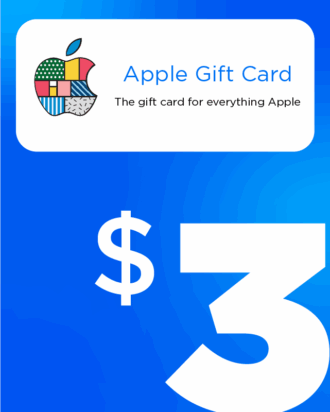
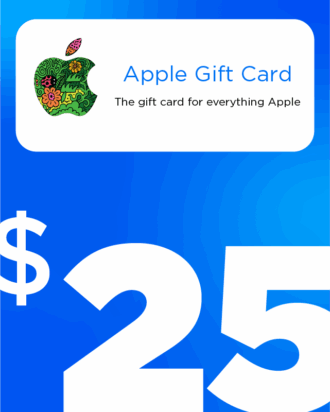
iTunes / Apple Gift Cards (USD)
Unlock premium apps, games, movies, music, books & subscriptions—no international card needed.
US Apple ID Only
Instant Redeem
No Card Needed
Secure Payment
No Card Needed
Secure Payment
If your App Store shows prices in USD (US region), redeem a USD Apple Gift Card to add balance to your Apple ID. Use it across App Store, iTunes Store, and Apple Books—perfect for users in Bangladesh.
One Balance, Everywhere
Pay for apps, games, media & subscriptions wherever Apple balance is accepted.
Bangladesh-Friendly
Avoid international cards—top up and checkout instantly with your Apple ID.
Safe by Design
Official Apple balance. Purchases draw from your gift funds first.
Using from Bangladesh
Ensure your Apple ID region is set to United States. When your store shows USD pricing, you can redeem and spend USD cards on apps, games, iCloud, in-app purchases, and more.
What can you purchase?
- iCloud Storage upgrades
- In-app & Game purchases (coins, gems, premium features)
- Paid Apps & Software on the App Store
- Subscriptions: Apple Music, Apple TV+, Apple Arcade & many third-party apps
- Movies & TV Shows from iTunes Store
- Books & Audiobooks on Apple Books
- Google One (Google Photos/Drive) via the Google One app billing
- Productivity & learning apps (Microsoft 365, Notion, Duolingo, Headspace, fitness apps)
- …and more wherever Apple balance is accepted
How to Redeem
On iPhone / iPad
- Open App Store → profile
- Tap Redeem Gift Card or Code
- Enter or scan your code
On Mac
- Open App Store
- Go to Account > Redeem
- Enter your code
On Windows (iTunes)
- Open iTunes & sign in
- Go to Account > Redeem
- Enter your code
Via Web
- Visit apple.com/redeem
- Sign in with your Apple ID
- Enter your code
Important Notes for Bangladesh Users
- Region-Locked: US cards only work with US Apple IDs. Set country/region to United States before redeeming.
- Balance First: Purchases always use your gift balance before other payment methods.
- No Card Required: You can buy without adding a credit/debit card.
- Check Balance: App Store → Profile → Account to view remaining balance.
- Availability: If a service isn’t available on the US store, it can’t be billed to US balance.
- Final Sale: Digital codes are non-refundable once delivered/redeemed. Redeem to the correct Apple ID.
Tip
Seeing a different currency? Switch your Apple ID region to United States, sign out & back in, then redeem the code.
 or your photo.